Custom Categories
(requires Premium)Overview
Categories are how you classify your energy entries. Bounded Self comes with 10 default categories, and premium users can create custom ones to match their life.
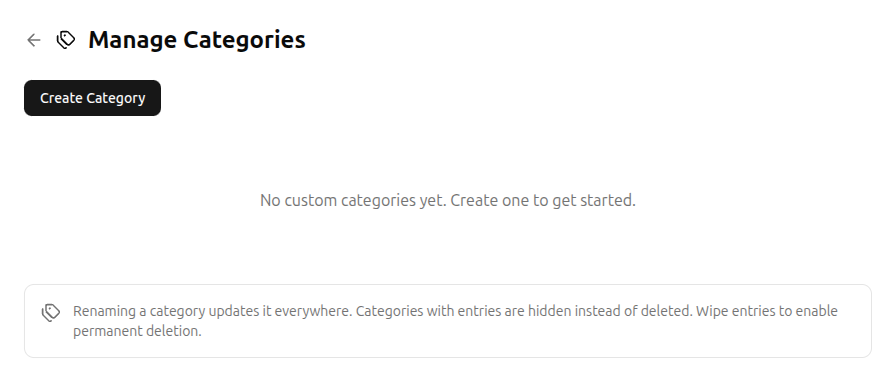
Creating a category
Click Create Category to add a new one. Each category has:
- Name – a descriptive label (e.g., “Reading”, “Gaming”).
- Icon (optional) – a single emoji to visually identify it.
- Group – assign it to a budget group for organized budgeting, or leave it unassigned.
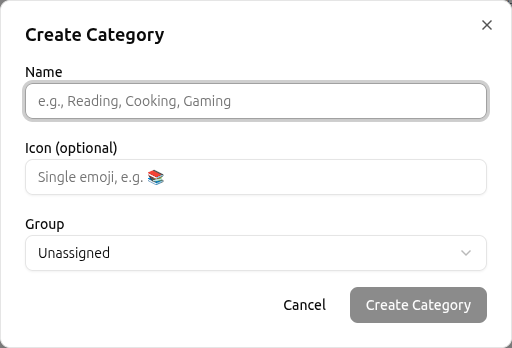
Editing and deleting
- Rename – renaming a category updates it across all your existing entries.
- Hide – categories with entries are hidden rather than deleted, so your historical data remains intact.
- Delete – only categories with no entries can be permanently deleted. Wipe entries first if needed.
Using categories
Categories appear in the Track form, the Budget table, the History filters, and as measures in Experiments. Well-organized categories make your data more actionable.
Related
- Tracking Energy – select categories when logging entries
- Energy Budgeting – allocate energy to categories
- Account Settings – access category management