Getting Set Up
If you haven't signed up yet, this article shows you exactly what to expect, from signup to your first guided tour of the app.
Overview
When you create your Bounded Self account, you'll go through a short onboarding flow that sets up your privacy preferences and introduces the app.
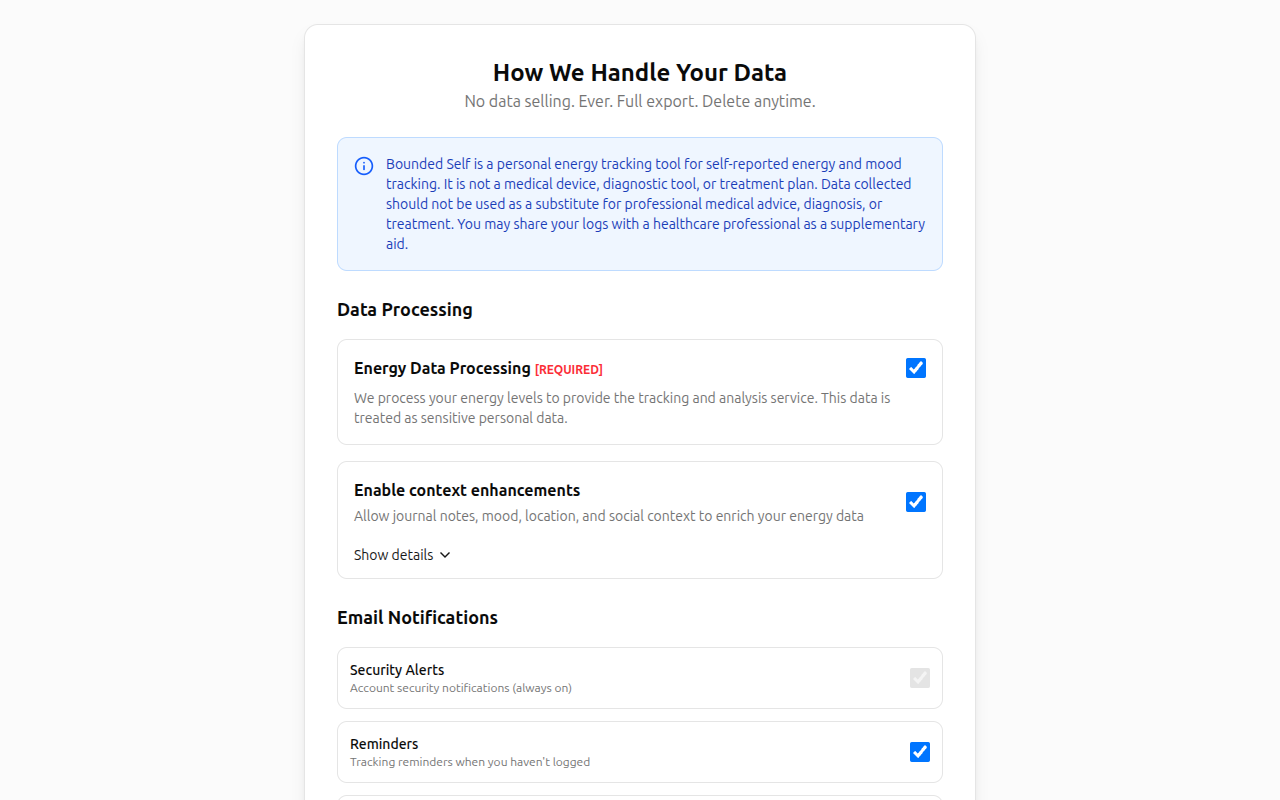
Step 1: Privacy Consent
Before using the app, you'll review and accept the data processing consents. Required consents (like emotional data) must be granted; optional ones (journal data, mood tracking, location tracking, social tracking) can be toggled based on your comfort level.
You'll also choose your email notification preferences and accept the Terms of Service and Privacy Policy.
Step 2: Welcome & Tours
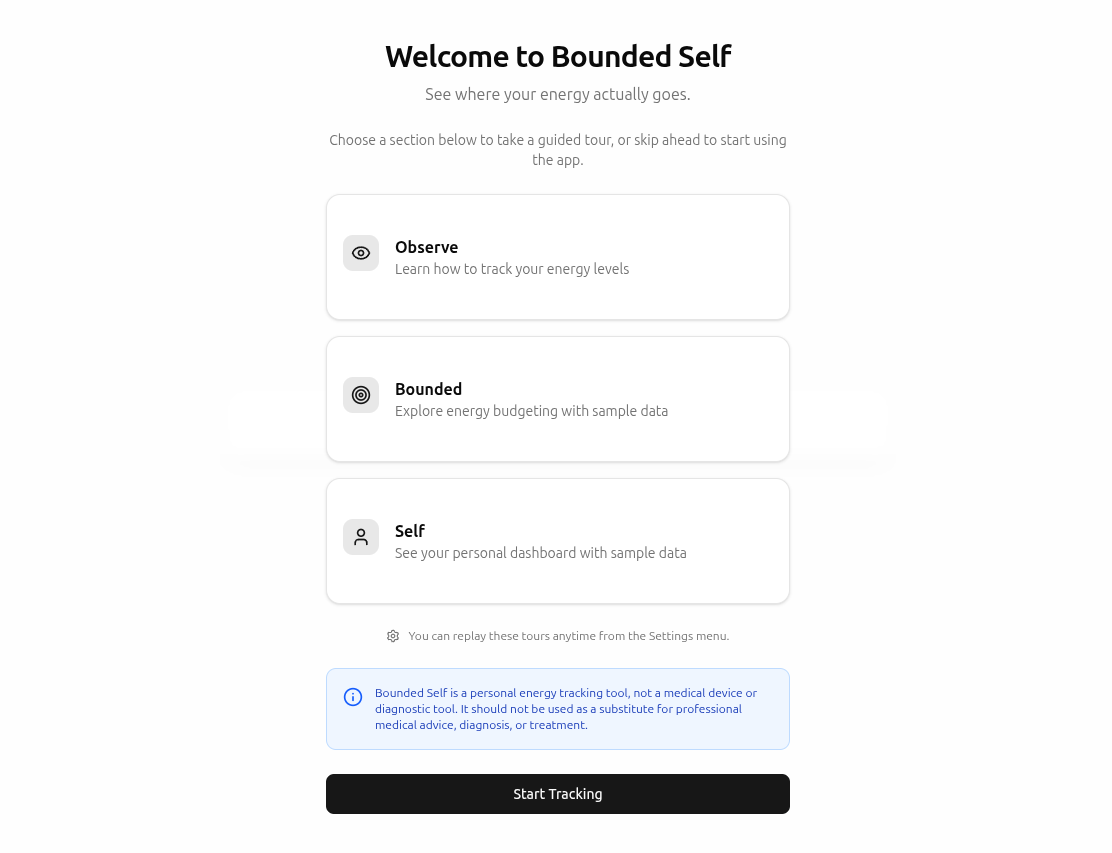
After consent, you'll see the Welcome page with three guided tour options:
- Observe – learn how to track your energy levels.
- Bounded – explore energy budgeting with sample data.
- Self – see your personal dashboard with sample data.
You can take any or all of these tours, or skip ahead. Tours can be replayed anytime from Settings.
Related
- Getting Started – explore your dashboard after onboarding
- Tracking Energy – log your first energy entry
- Account Settings – update consents and replay tours